

Olá viajante!
Bora viajar?
Relato de viagem - Mochilão Tailândia 2017 ( gastos, dicas de passeios, restaurantes, hotéis, locomoção, cultura e mais)
- Respostas 32
- Visualizações 177.6k
- Criado
- Última resposta
Usuários Mais Ativos no Tópico
-
Cheila Anja 17 posts
-
luma.teles 4 posts
-
tarcisiosens 1 post
-
pedrosantangelo 1 post
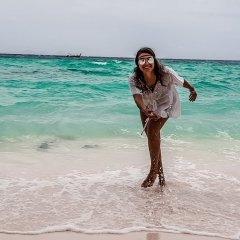



Pensando em ir para a Tailândia? Já sabe o que fazer lá? Vou contar para vocês como foi a minha viagem de 20 dias pelo sudeste asiático, com os gastos diários o total que gastei na viagem toda, dicas de passeios, restaurantes, hotéis, locomoção, cultura, enfim vou fazer um resumão completinho sobre a Tailândia e a minha aventura por lá.
No dia 27 de dezembro a uma hora da manhã saiu o voo para o paraíso, algo que eu planejei por quase um ano, por quase um ano abrindo mão de muita coisa para economizar para a viagem, não pense que eu nasci em berço de ouro, ganho bem ou que tem alguém pagando as minhas viagens, eu faço é milagre com o meu salário, que é bem regular, diga-se de passagem, mas que mesmo assim me ajuda a rodar o mundo, e sou grata por isso.
Minha paixão é viajar e viajando me sinto realizada, por isso trabalho para isso, sei exatamente quanto tenho que economizar para tirar uma viagem do planejamento. Não tem segredo, é só um desejo muito forte com um punhado de foco. Foi assim que consegui tirar esse paraíso dos meus sonhos e trazer para a minha realidade.
A preparação para o meu destino dos sonhos: Tailândia.
O roteiro ficou assim:
28/12/16 – Bangkok - Templo Wat Arun
29/12/16 - Bangkok - Templo do Buda reclinado - WAT PHO e Grand Palace
30/12/16 - Bangkok - Passeio Ayutthaya
31/12/16 - Sleep Aboard Maya Bay (ano novo)
01/01/17 - Phi Phi Island - Phi Phi ViewPoint
02/01/17 - Phi Phi - 4Islands Passeio de barco que explora todos os pontos (Maya Bay, Monkey Beach, Mosquito Island e Bamboo Island)
03/01/17 - Ao Nang
04/01/17 - Passeio para Hong Islands e Railay Beach saindo de Ao Nang
05/01/17 Ao Nang
06/01/17 - Chiang Mai - Patara Elephant Farm
07/01/17 - Chiang Mai - Templo Doi Suthep e Zoo Chiang Mai
08/01/17 - Bali - Uluwatu - Single Fin
09/01/17 - Bali - Uluwatu - Conhecer os templos: Uluwatu Temple e Tanah Lot Temple.
10/01/17 - Bali - Ubud – Jatiluwih - Ulun Danu Temple - Yoga Barn - Monkey Forest e El Kabroon
11/01/17 - Bali - Ubud
12/01/17 – Bangkok
13/01/17 - SP
Fiz essa viagem 100% por conta própria, acredito que devo ter lido todos os blogs de viagem e relatos sobre esses destinos existentes no Brasil hahaha adoro viajar antes da viagem, mas nada como a sensação de estar no paraíso na terra com os seus próprios pés. Vamos lá?
Chegamos em São Paulo com o coração saindo pela boca de ansiedade, fizemos os check-ins online antecipadamente e iriamos viajar apenas com a bagagem de mão, então depois de jantar só nos dirigimos para o embarque.
Meu voo foi pela Ethiopian Airlines, a qual eu tinha lido algumas experiências ruins na internet, mas não tenho o que reclamar da companhia, o avião era bem confortável (tem que ser né, senão quem aguenta 24 horas de voo?), cada pouco tinha comida e bebida a vontade, as comissárias de bordo eram supersimpáticas, tinha diversas opções de filmes bem atuais, além de jogos, áudio books e afins.
Nossa primeira parada foi em Lome para abastecer a aeronave, a cidade fica no comecinho da África, a parada é rápida e você não desce do avião. Depois paramos na conexão em Addis Ababa na Ethiopia, que aeroporto mais bagunçado, cada um nos mandava para um lugar diferente, e foi difícil achar onde realmente teríamos que embarcar, além do inglês lá ser precário. Depois de 3 horas de espera, partimos rumo a Bangkok, a capital da Tailândia.
Dia 01: Aeroporto, pôr-do-sol sobre o Templo Wat Arun e Khao San Road
Chegamos em Bangkok já sentindo o poder do fuso horário de 9 horas de diferença, já no aeroporto aquela bagunça de gente perdida, graças a Deus eu já sabia que tinha que ir primeiro no Health Control para depois ir para a imigração, mas a maioria das pessoas vai sem saber e fica na fila quilométrica da imigração primeiro, tudo para chegar lá e voltar e ser encaminhado para a Health Control que também tem fila, e depois enfrentar a fila da imigração novamente.
Para entrar na Tailândia é obrigatório a vacina da febre amarela. Fiz um artigo explicando onde fazer e como emitir o certificado internacional, clique aqui para ver http://sonhoseaventuras.net/febre-amarela-onde-tomar-que-paises-exigem-e-como-emitir-o-certificado-blog-o-que-fazer/
Não tem avisos, então já vá sabendo, primeiro Health Control, há placas indicando o caminho, então é fácil chegar, lá eles confirmam que você tem a vacina da febre amarela, e você tem que preencher um papel, depois mostre para o cara do balcão que vai carimbar e só depois siga para o Passaport Control.
Já no aeroporto podíamos ver alguns locais com máscara, você vai ver muito na Tailândia, eles usam quando estão gripados, para não passar a sua doença para outras pessoas ou simplesmente para se prevenirem, legal, né?
Formulário de imigração
Aeroporto Tailândia
Trocamos alguns dólares por bath (moeda tailandesa), apenas para o táxi, pois a cotação é muito ruim no aeroporto e depois de quase duas horas conseguimos sair do aeroporto e o cansaço já tomava conta, entramos no primeiro táxi que encontramos, GRANDE ERRO! O taxista cobrou uma fortuna para nos levar até o hotel, pois não ligou o taxímetro e cobrou quanto quis, mas tudo bem, serviu para acordar um pouco, depois de um banho fomos desbravar a cidade.
Eram quase 5 horas da tarde e queríamos pelo menos pegar o pôr-do-sol sobre o templo Wat Arun, visto do outro lado do rio e conseguimos encontrar mesmo sem internet, quem tem boca vai a Roma. Que espetáculo! Dizem que o pôr-do-sol visto do outro lado do Rio com o sol se ponto em cima do Wat Arun é o maior cartão postal de Bangkok, com o Cristo Redentor para o Rio de Janeiro e eu acredito, uma maravilha da natureza, e o melhor que é de graça!
Depois fomos conhecer a famosa rua Khao San Road, a rua mais badalada de Bangkok, que ficava bem próxima ao hotel. Que diversidade de gente, de tudo que é lugar, viajantes principalmente. É coisa de outro mundo ver essa rua pela primeira vez, os carros não passam na rua a noite, se você for de táxi eles vão te deixar na entrada dela, mas não se preocupe, pois a rua não é muito grande.
É muita coisa diferente juntas, música alta, letreiros gigantes, bares que invadem as ruas com pessoas dançando, um lugar onde você pode comprar de tudo, lugar para falsificar documentos a céu aberto, escorpião para comer, ratos no beco, gente sendo massageada ali mesmo na rua, muitos cheiros e sensações que você nunca provou antes, é surreal! Eu adorei, é uma bagunça divertida demais.
Trocamos mais dólares por bath, tem várias casas de câmbio na Khao San Road e encontramos um lugar mais tranquilo para jantar, a primeira refeição na Tailândia foi para provar a comida típica tailandesa, é claro. Não pense que porque você gosta de pimenta você vai gostar das comidas lá, sério, eu gosto de pimenta e muitas vezes não conseguia comer a comida deles hahaha.
Depois da janta fomos andar mais um pouco na Khao San Road, tomamos uma cervejinha e eu comprei uma calça linda por 12 reais, uma bagatela, não é? Usei muito ela a viagem toda. Era hora de voltar para o hotel e dormir para descansar do voo e acordar dispostos para o dia seguinte em Bangkok, a Khao San Road fica a umas três quadras do hotel.
Gastos do dia 01:
800 bath – Táxi aeroporto hotel
370 bath – Janta – Khao San Road
120 bath – Calça – Khao San Road
80 bath – Cerveja – Khao San Road
Dia 02: Grand Palace, Templo Wat Pho e Khao San Road
Na manhã do dia seguinte fomos novamente para a Khao San Road para comprar o passeio de Ayutthaya para o dia seguinte, pois esquecemos na noite anterior. E dali fomos conhecer o Grand Palace e o Templo Wat Pho, lembrando que fizemos tudo isso a pé, pois eram próximos ao hotel, então quando for escolher o seu hotel lembre-se de olhar o endereço, veja algum que seja próximo a Khao San Road.
O hotel que eu fiquei era simples, mas ótimo custo benefício pela localização (próximo a Khao San Road) e o café da manhã era razoável, só tomei um susto no primeiro dia, pois a rua é bem feia, suja e cheia de barracas e algumas pessoas dormindo no chão, pensei que tivesse feito um mal negócio, mas depois vi que era tranquila e tinha bastante policiamento por perto.
Jogamos os endereços do Grand Palace e o Wat Pho no google maps, para ver se ela perto mesmo, além de ser perto do hotel, um fica na frente do outro. Fomos primeiro no Grand Palace.
Atenção as roupas: shorts não é permitido tanto para mulheres quanto para homens, mostrar os ombros e colo também não. Eu fui de calça e camiseta, mas essas regadas cavadas no braço, também não é permitido.
Logo na entrada, o guardinha apontou para uma casinha, um lugar onde eles emprestam roupas, você paga 200 bath por peça e eles emprestam, no final você devolve a roupa e eles devolvem seu dinheiro. Achei que ia ganhar um lenço para colocar nos ombros, mas não, ganhei uma camisa que fiquei nadando dentro.
Com o look estragado kkkk e sofrendo com o calor, mas respeitando a cultura local, entramos para conhecer o Grand Palace, e que lugar espetacular. A entrada é carinha, 500 bath por pessoa, mas vale a pena, é um show de arquitetura, que você não vê no Brasil, muitas cores e muito, muito dourado. O tempo de permanência vai de cada um, ficamos um pouco mais porque tiramos muitas fotos, o lugar era incrível.
Depois fomos para o Templo Wat Pho, pertinho do Grand Palace, é nesse tempo que tem o famoso Buda Reclinado, é um enorme Buda Dourado que fica dentro do templo. A entrada custa 100 bath por pessoa. Depois que você visita o Grand Palace o templo Wat Pho não parece tão grandioso, mas mesmo assim vale muito a pena, ali você começa entender um pouquinho da cultura local.
O Wat Pho fica próximo ao rio Chao Phraya e há um pior próximo a saída do Wat Pho e você pode atravessar de barco para ver o Templo Wat Arun que fica próximo, aquele do pôr-do-sol que vimos no dia anterior.
Depois do Wat Pho fomos almoçar e descobrimos a 7 eleven, guardem esse nome, principalmente se vocês querem economizar. É uma rede de conveniência na Tailândia, tem muitas espalhadas, sério quase uma a cada esquina, onde você encontra muita variedade, refeições baratinhas, tipo prato feito, ou congeladas que eles esquentam na hora, bebida, doces e afins. Almoçamos lá por 12 reais o casal com bebida inclusa.
Sonho realizado na 7 eleven: Yakult de 1 litro
Depois do almoço voltamos para o hotel para descansar um pouquinho e se refrescar do calor de Bangkok, resolvemos dormir uma meia horinha para renovar as energias, pois o nosso fuso horário estava totalmente ao contrário e o sono tomava conta.
Até aí tudo bem, mas esquecemos de colocar um alarme no celular e acordamos as 6 da tarde hahaha. Acontece, né? Pelo menos a pilha estava trocada, tomamos um banho e era hora de ir para a badalada Khao San Road.
Resolvemos aproveitar a noite já que tínhamos perdido a tarde, jantamos muito bem em um restaurante lindo e mais calmo na Khao San Road e de sobremesa provamos o escorpião da Tailândia, sim é de comer, desconfio que eles não comem isso não, só fazem para os turistas, mas afim eu estava na Tailândia, claro que eu ia provar o tal escorpião!
Além do escorpião tem outras variedades, como aranhas, cobras, grilos, larvas e outros, mas o escorpião me pareceu menos pior. Como posso descrever isso? Tem gosto de escorpião, vai ter que provar para descobrir hahaha é crocante e tem gosto amargo no final, só coma se tiver uma cerveja próxima. Fiz um vídeo para provar, que só tirar foto não prova nada, certo?
Tomamos uma cervejinha, fizemos mais umas comprinhas. Lembram que eu fui só com a mala de mão? Lavar roupa na Tailândia é muito barato, cerca de 1 dólar para cada quilo e além disso, as roupas na Tailândia eram muito baratas para comprar, comprei mais um shorts por 8 reais e um boné por 32 reais e meu namorado comprou 3 cuecas por 18 reais.
Estou falando em reais para ficar mais fácil para vocês entenderam, mas é claro que eles não aceitam real lá, a compra foi feita em bath que a cotação é 1 real cada 10 bath, ou seja 180 bath é igual a 18 reais, grave isso que assim você não se perde no dinheiro.
Então era hora de experimentar a famosa massagem tailandesa, ainda não sei se foi uma boa decisão ou ruim hahaha. A massagem custou 26 reais para duas massagens de meia hora e na hora foi ótimo, ele te alonga inteira que chega até a doer, e eu sai de lá renovada, mas no outro dia senti que machucou o meu braço, senti dor por vários dias e tive que tomar vários relaxantes musculares para acalmar a dor.
Saindo de lá fomos para a massagem nos pés com os peixinhos, sim a Fish Massage, nada mais é que um monte de peixinhos comendo as células mortas dos teus pés, faz muita cocega e a sensação é entranha, mas deixa os pés lisinhos.
Era quase uma hora da manhã quando voltamos para o hotel, era hora de dormir, pois o passeio para Ayutthaya saia cedinho, mas isso aconteceu? Claro que não! Hahaha Fiquei rolando na cama dá uma as 3, dormi uma hora e acordei novamente e não dormi mais, ok estaria cansada para o passeio, mas ia vencer esse fuso horário maluco.
Gastos dia 03:
40 bath – Água e suco
1000 bath – 2 entradas The Grand Palace
200 bath – 2 entradas Wat Pho
112 bath – 2 almoços 7 Eleven
800 bath – Janta Buddy Beer – Khao San Road
100 bath – 2 escorpiões – Khao San Road
80 bath – Cerveja – Khao San Road
80 bath – Shorts – Khao San Road
180 bath – 3 Cuecas – Khao San Road
260 bath – 2 massagens tailandesa de meia hora – Khao San Road
300 bath – 2 fish massage – Khao San Road
320 bath – Boné – Khao San Road
Continuei o relato com todos os gastos, dicas de passeios, restaurantes, hotéis, locomoção, cultura local e mais no blog! Clique aqui para ver http://sonhoseaventuras.net/o-que-fazer-na-tailandia-relato-de-viagem/
Qualquer dúvida que tenha restado é só perguntar! Bora viajar gente?
No blog também disponibilizo uma planilha gratuita para planejamento de custos de viagem! http://sonhoseaventuras.net/planilha-gratis-para-planejamento-de-custos-de-viagem/
Finalizo com mais algumas fotos da viagem
Espero que gostem do relato, continue lendo no blog que tá completinho http://sonhoseaventuras.net/o-que-fazer-na-tailandia-relato-de-viagem/
Editado por Cheila Anja