




Olá viajante!
Bora viajar?
Vamos trocar experiências, aprendizados e empreender de forma colaborativa?
Featured Replies
Conteúdo Similar
-
- 1 resposta
- 474 visualizações
-
- 0 respostas
- 392 visualizações
-
- 2 respostas
- 988 visualizações
-
- 1 resposta
- 1427 visualizações
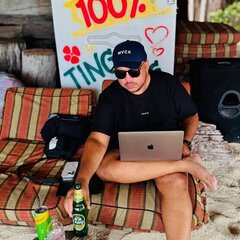
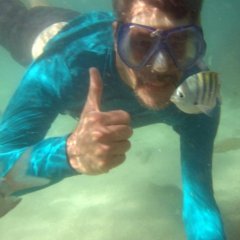


Opa! Tudo na paz?
Sou um aprendiz e vivo em busca de aventuras e conhecimento.
Adoraria trocar ideias com outros empreendedores, mochileiros e nômades digitais.
Por favor conheçam meu trabalho e enviem um feedback pra mim?
É só o começo 🚀📊🧠💡😎
Instagram 👉 @roneylaurent
English resume 👉👉
I believe that collaborating positively is the key, being kind and considerate to people, help when necessary for better results and always being in union with intelligent teams to connect relevant ideas is very important. I can transform lifes and business.
My main focus is to specialize me in new communication technologies, information science, and consumer psychology and areas related of brand's growth. I am very interested in collaborating positively and many more with the market through my skills. My first goal is to be a complete professional.
Specialties:
+ Planning and Strategy
+ Growth Hacking Marketing
+ Digital Marketing
+ SEO
+ SEM
+ Social Media Marketing
+ Inbound Marketing
+ Business
+ Relationships
+ Web Sales
+ Bitcoin
+ Cryptocurrency
------------- > Connect with me!
Pay me a coffee and let's talk: https://earn.com/roneylaurent
LinkedIn: https://linkedin.com/in/roneylaurent
YouTube Channel: https://www.youtube.com/channel/UCC3X_abYbxdflKvnEmiYi3Q